MASSIF-1 (ID30A-1)

Login to MASSIF-1


MASSIF-3 (ID30A-3)

Login to MASSIF-3

About MXCuBE-WEB

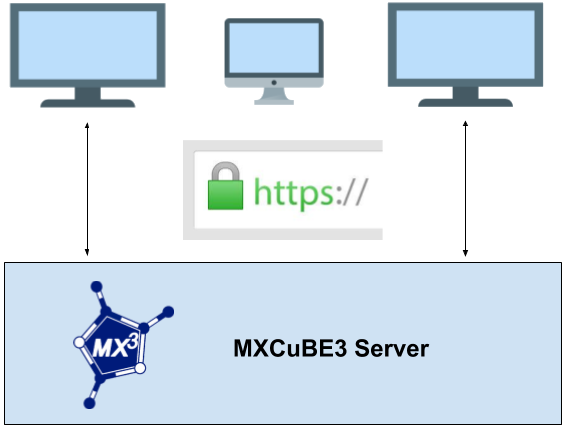
MXCuBE-WEB is the latest version of the data acquisition software MXCuBE. It is developed as a web application and runs in any recent browser. The application is built using standard web technologies and does not require any third party plugins to be installed in order to function. Being a web application, it's naturally divided into a server and client part. The communication between the client and server are made using HTTPS, SSL/TLS encrypted HTTP, and all traffic is consequently encrypted (including video). The traffic passes through the conventional HTTPS ports so there should not be any need for special firewall or proxy settings to get the application to work.

More information about how to use MXCuBE for your experiment can be found here

Tutorials

We are working on 30-60 seconds long per feature help videos, that will be available here. They are not ready yet, but we do have some demo videos that you can look at in the meantime. The version of MXCuBE-WEB running on the beamline you are using might be of a more recent version than then one used in the videos so there might be some smaller differences in the layout.


Characterization

Mesh Scan

Interleaved

Troubleshooting

We are doing our out must to ensure that the software and the equipment on the beamline are functioning flawlessly. There is an entire eco-system of software and equipment involved in the experiment, an error somewhere might propagate and unfortunately cause a fault. There are a few things you can do as a user to recover from a bad state. The application works on any recent browser, we however recommend Chrome.


Blocking error displayed in the frontend

The error message often includes a "Reload" button, clicking it, or simply refreshing the browser window, can resolve the issue. The MXCuBE backend may also need to be restarted your local contact can help you if needed. If you can't restart the backend and/or the error persists after reloading, please contact your local contact.

Need further help ?

Contact

Help us improve the application by sending a mail with your ideas or comments to the feedback mail. You can also contact your local contact or use the feedback mail in case you encounter an issue.